How to Create a Hybrid Gaming + Work Setup (Best of Both Worlds 🎮💼)
8 October 2025
Transforming a desk into somewhere that feels just right for both work and play can be trickier than it looks. These days, the lines between our office hours and downtime are blurrier than ever, so why settle for a setup that forces a compromise? With a few smart tweaks and personal touches, it’s totally possible to boost productivity during your 9-to-5 and seamlessly switch gears for late-night gaming marathons.
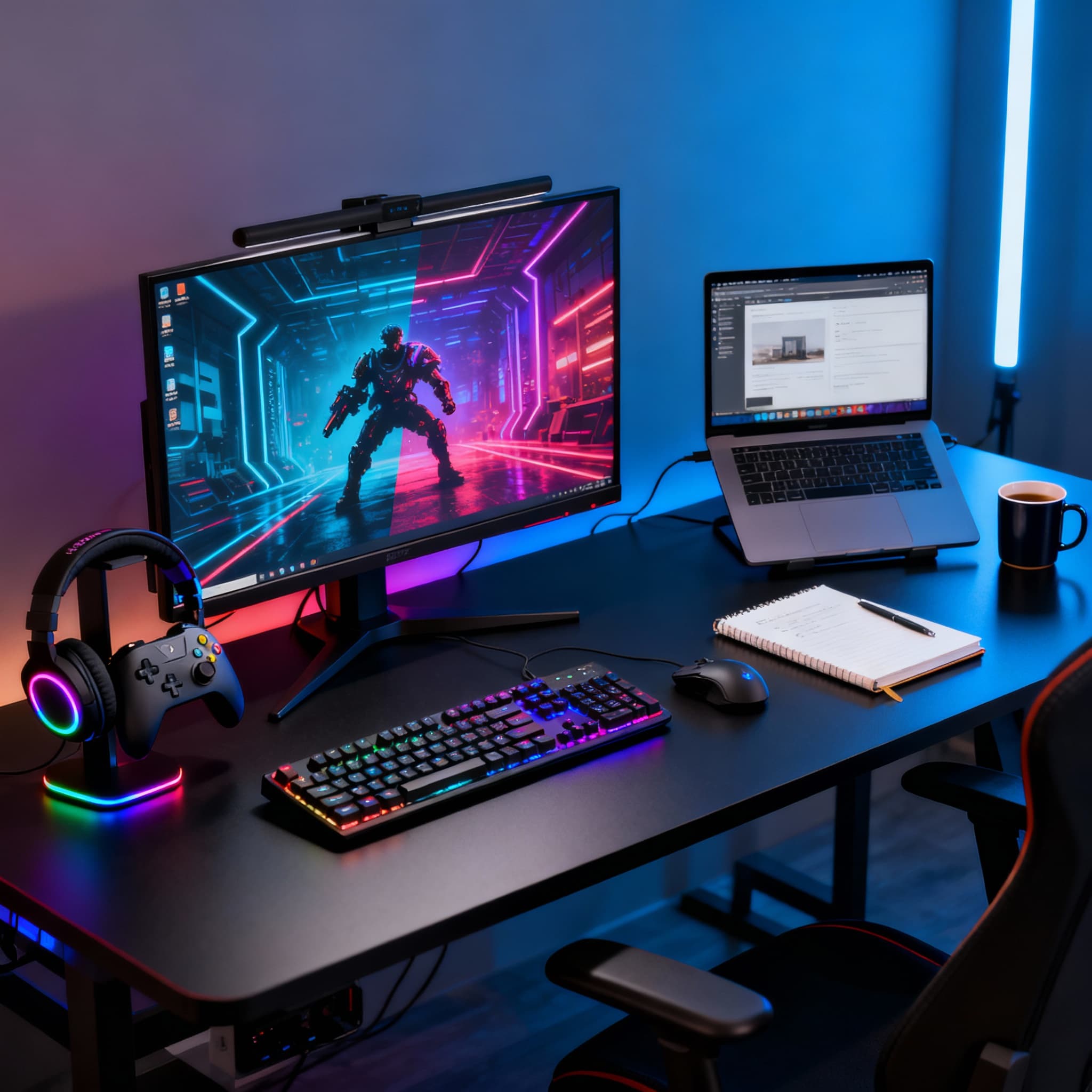
In today’s world, your desk isn’t just a place to work-it’s also where you unwind after hours. Whether you’re a remote professional by day and a gamer by night, building a 'hybrid gaming' + 'work setup' is all about blending functionality with fun. But how do you make a single setup handle both Zoom calls and late-night game sessions without looking cluttered or chaotic? Let’s explore how to design the perfect hybrid space that boosts productivity *and* fuels your passion for gaming.
The Ultimate Guide to Building a Hybrid Gaming + Work Setup 🖥️🎧
- Choose a Clean and Spacious Desk →
Don’t underestimate how much a quality desk matters. If you can, grab something wide enough to let your monitors, keyboard, headphones, and even a few favorite figurines breathe - no elbow-bumping required. L-shaped desks make it super easy to split your space into “work” and “play” corners. An adjustable standing desk? Even better. It really pays off for your back on those marathon days.
- Dual Monitor Setup for Multitasking →
If you’re constantly tabbing between spreadsheets and Discord, a second screen is a game-changer. It’s great for keeping Slack on one side and your current questline (or YouTube playlist) on the other. Some folks love ultrawide monitors, too-whichever route, extra screen real estate always ups your efficiency, whether you’re in full focus mode or full send in Valorant.
- Smart Cable Management →
We’ve all been there: wires everywhere, and suddenly your clean setup looks like spaghetti junction. Bag some cable clips, sleeves, or even an under-desk tray to get that mess under control. If you can switch to wireless gadgets, even better. A tidy workspace helps you stay chill during Zoom meetings and boss fights.
- Ergonomics Matter: Chair, Monitor Height, and Posture →
A good chair is non-negotiable. Get one that feels comfy-even after hours of sitting-and make sure it supports your back. Pop your monitor at eye level (those fixed stands from the 2000s? Not ideal) and keep your wrists lined up straight. Most people skip this, but seriously, good ergonomics make a huge difference after a long day or night.
- Lighting That Adapts to Work and Play →
Lighting sets the whole mood. During work hours, bright and natural is best-it’ll help keep you awake. But once the workday’s over, why not flip to RGB or some cozy ambient light for a real “game on” vibe? Smart bulbs make it easy-one click and your room feels brand new.
- Invest in Quality Peripherals for Dual Use →
Choose peripherals that perform well in both worlds. A mechanical keyboard with hot-swappable switches can be tactile for gaming yet quiet for work. Similarly, a high-DPI mouse with customizable profiles can switch between precise design work and fast-paced gaming. Don’t forget a good webcam and microphone setup if you take video calls. Every peripheral should serve dual functionality without compromise.
- Sound Setup: Immersive Yet Professional →
For meetings and gaming, sound quality is non-negotiable. A pair of good headphones or studio monitors can balance crisp audio for work and deep bass for play. Noise-cancelling headphones are ideal for blocking distractions during focus sessions. Add a dedicated mic or boom arm for streaming or calls. Sound is often overlooked, but in a hybrid setup, it’s the bridge between focus and fun.
- Separate Digital Profiles or Workspaces →
Even if you use the same device, having separate desktop profiles or virtual desktops is a game-changer. Work mode: all your productivity tools and a calming wallpaper. Gaming mode: swap to your presets, RGB, and Steam front and center. This tiny mental trick makes it easier to “clock in” and “log off.”
- Keep Your PC Powerful but Balanced →
A hybrid setup doesn’t mean building two systems. Instead, invest in a strong mid-to-high-end PC with a capable GPU, plenty of RAM, and efficient cooling. Balance your components so your machine handles demanding games and work tasks like video editing or coding. If you’re using a laptop, add a docking station for easy switching between work and gaming peripherals. One powerful device can rule them all when optimized right.
- Personalize Your Space →
Show off your personality! Plants, LED strips, art, or collectibles are a great way to make the space yours-just don’t let clutter creep up. An inviting setup keeps you motivated during the work grind and stoked for play later.
FAQs
Final Thoughts 💭
Finding the sweet spot between work and play is totally doable-and it’s worth a little planning. With the right gear, some smart organization, and a bit of personal flair, your desk can be your productivity sanctuary by day and your gaming battlestation by night. Why settle for just one, when you can have the best of both worlds? ⚡💻🎮