The Difference Between SSD and HDD Explained for Beginners
22 August 2025
Learn the key differences between SSDs and HDDs in 2025, including speed, durability, pricing, and best use cases for different types of users.
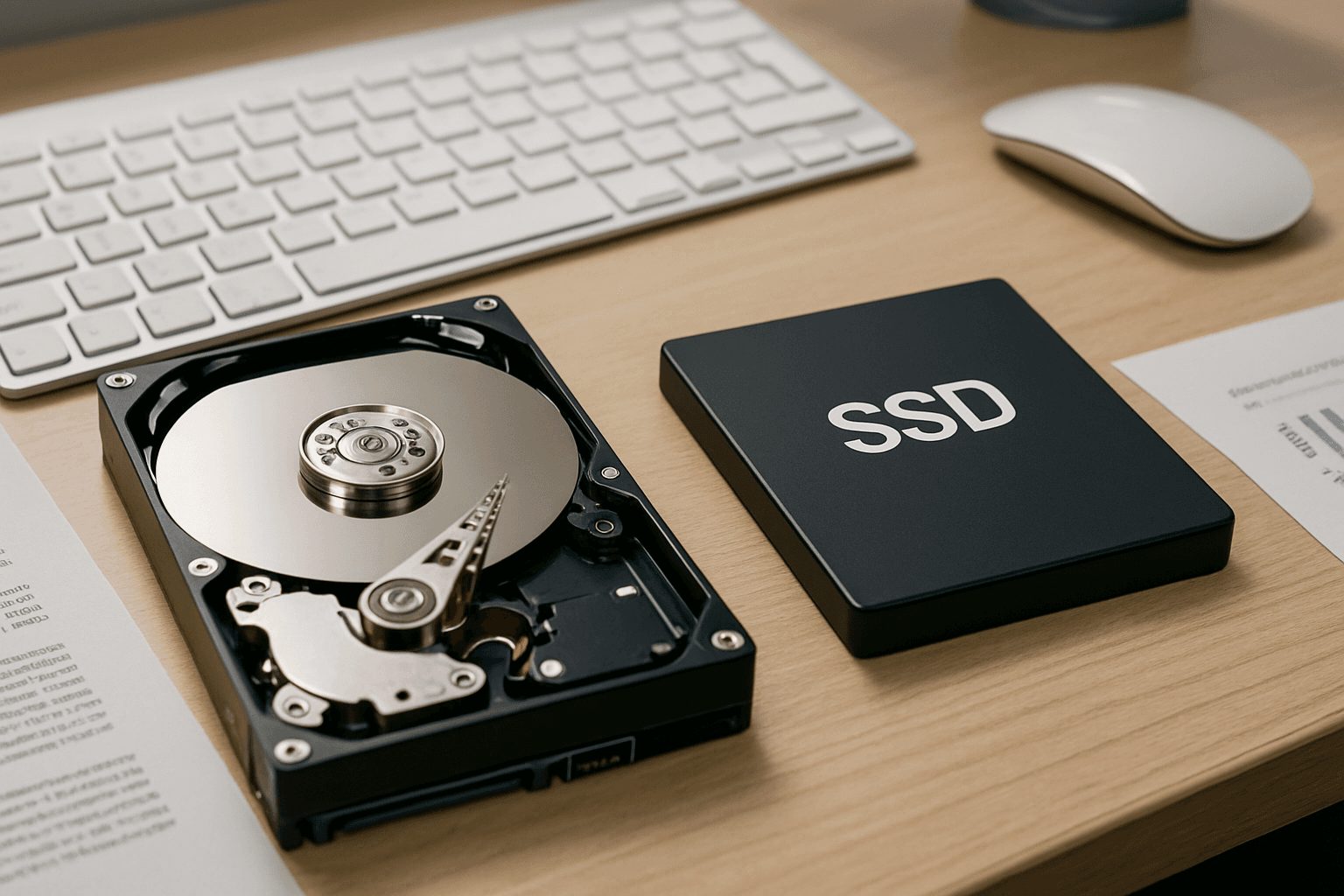
If you’ve ever wondered why some laptops load in seconds while others take forever, the answer lies in the storage drive: SSD (Solid State Drive) vs HDD (Hard Disk Drive). Many beginners still find this confusing, especially when buying laptops or upgrading PCs. This guide will break down SSDs and HDDs in simple terms so you can make the right decision.
SSD vs HDD: Key Differences in 2025 ⚡
- What is an HDD? →
An HDD, or Hard Disk Drive, is a traditional data storage device that has been used in computers for decades. It stores information on spinning magnetic disks (platters) and uses a mechanical arm to read and write data. Because it relies on moving parts, the performance is slower compared to modern drives, but HDDs are still widely used due to their cost-effectiveness. They are best suited for storing large files such as movies, photos, raw video footage, music libraries, or backup data. If you are looking for affordable bulk storage in 2025, HDDs remain a good choice for secondary storage solutions.
- What is an SSD? →
An SSD, or Solid State Drive, is a newer and faster type of storage device that uses flash memory to store data instead of moving mechanical parts. This makes SSDs much faster, more durable, and energy-efficient compared to HDDs. With SSDs, your laptop or PC can boot up in seconds, open applications instantly, and handle multitasking smoothly. Because they have no spinning disks, SSDs are also resistant to physical shock, making them perfect for students, professionals, and gamers who need reliable storage on the go. In 2025, SSDs are the standard choice for modern laptops, ultrabooks, and gaming PCs.
- Speed Comparison →
When it comes to speed, SSDs easily outperform HDDs. On average, an SSD can be 5-10 times faster than a traditional hard drive. This means your laptop will boot within seconds, applications will launch almost instantly, and file transfers will be much quicker. On the other hand, HDDs tend to feel slow, especially when multitasking or loading large programs like video editing software or modern games. For anyone who values productivity, gaming performance, or seamless everyday use, an SSD is the better choice in 2025.
- Durability →
Durability is another key difference between SSDs and HDDs. HDDs are more fragile because they contain spinning disks and moving parts, making them vulnerable to damage if dropped or moved while running. In contrast, SSDs have no moving parts, which makes them highly reliable and shock-resistant. This durability is especially important for students, travelers, or professionals who carry their laptops around frequently. If you want long-term reliability and less risk of data loss due to physical damage, an SSD is the safer option.
- Price in 2025 →
One of the main reasons people still choose HDDs is price. However, in 2025, the cost gap between SSDs and HDDs has narrowed significantly. A 512GB SSD, which was once considered expensive, is now affordable for most users. Still, HDDs remain cheaper when it comes to bulk storage (1TB or more). Many laptop manufacturers now offer hybrid setups where the operating system is installed on a fast SSD for performance, while additional storage space is provided with an HDD. This combination allows users to enjoy both speed and storage capacity at a reasonable cost.
- Best Use Cases →
Each type of drive has its ideal use case. SSDs are best for your operating system, frequently used applications, games, and projects that require fast read/write speeds. HDDs are better suited for storing large files, movies, backups, or data that does not need to be accessed quickly. For the best of both worlds, many people in 2025 use a hybrid storage setup with both an SSD and an HDD. This way, you get lightning-fast performance for daily tasks while still having plenty of affordable space for large files.
FAQs
Final Thoughts 💭
SSDs have revolutionized computing by offering unmatched speed and reliability, while HDDs remain relevant for bulk storage. Understanding their differences helps you choose wisely and build a setup that’s fast, durable, and cost-effective.