Creator’s Monitor Guide 2026: Best Displays for Editing, Design & Streaming 🎨🖥️
30 December 2025
A complete creator-focused monitor buying guide for 2026. Learn how to choose the best display for video editing, graphic design, streaming, and content creation with a focus on color accuracy, IPS panels, HDR, resolution, and ergonomics.
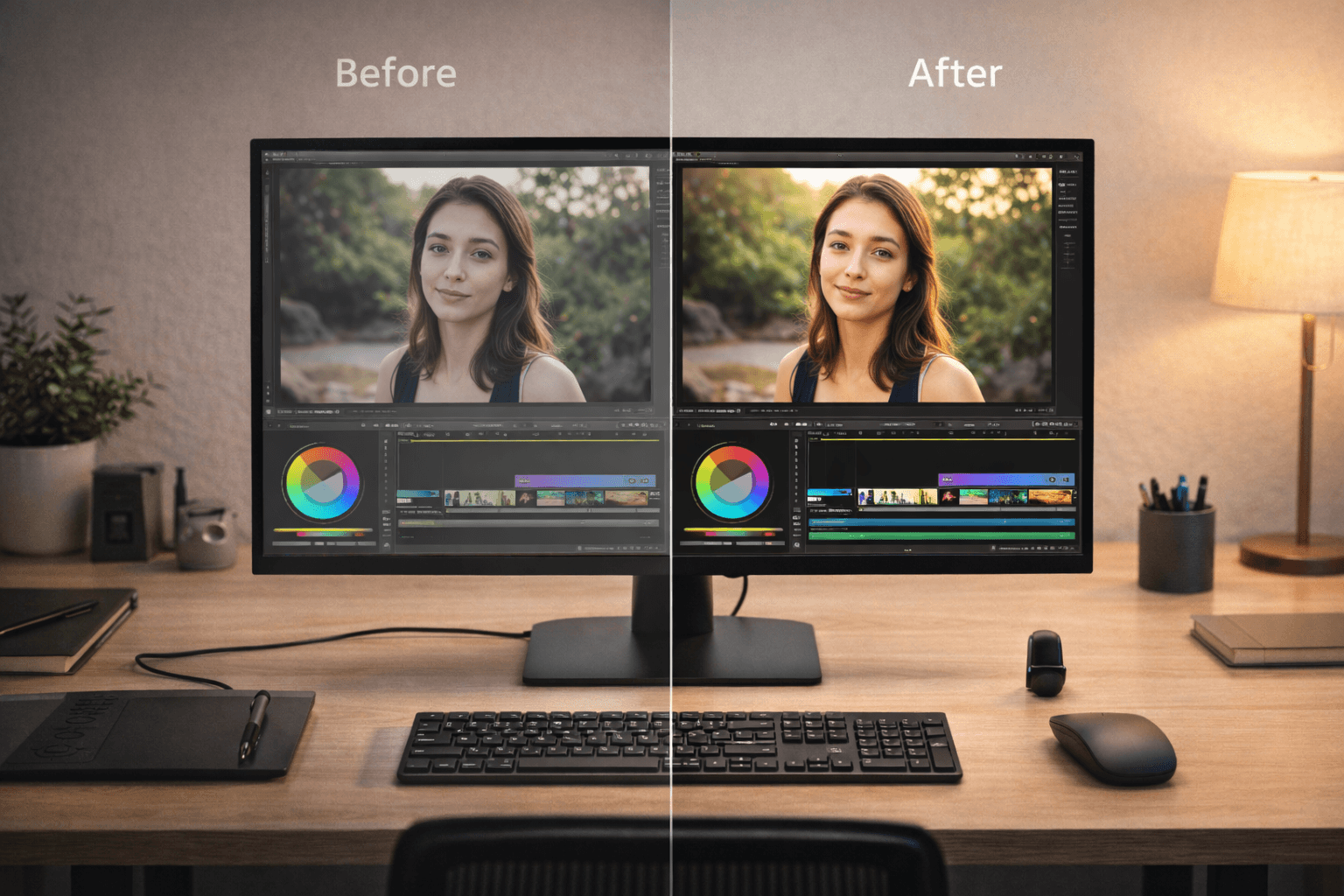
Every creator knows this feeling - you export a video, upload a thumbnail, or finish a design… and it looks different on someone else’s screen. Colors feel off. Shadows look crushed. Skin tones don’t feel right. That moment hits hard, because you realise the problem isn’t your skill - it’s your monitor. In 2026, creators are no longer just gamers or office users. We are editors, designers, streamers, YouTubers, and storytellers who depend on visual accuracy every single day. A creator’s monitor isn’t just a screen - it’s your canvas, your reference point, and your creative truth. This guide will help you choose a monitor that respects your work, protects your eyes, and supports long creative sessions without compromise.
The Ultimate Creator’s Monitor Buying Guide (2026 Edition) 🎥✨
- Why Creators Need Different Monitors Than Gamers →
Gaming monitors focus on speed - refresh rates, response times, and motion clarity. Creator monitors focus on accuracy. For editing and design, color precision matters more than raw speed. A fast monitor that shows incorrect colors can ruin hours of work. Creators need displays that show the truth, not exaggeration.
- Color Accuracy: The Heart of Creative Work →
Color accuracy defines how closely your screen matches real-world colors. For creators, this is non-negotiable. Look for monitors that fully cover sRGB and offer high DCI-P3 coverage. Factory calibration and consistent color reproduction ensure what you see is what your audience sees. When colors are accurate, confidence replaces doubt.
- IPS Panels: The Creator’s Gold Standard →
IPS panels are preferred by creators because they offer superior color consistency and wide viewing angles. Unlike VA or TN panels, IPS displays don’t shift colors when viewed from the side. This matters when working on fine details, gradients, and skin tones. IPS panels feel stable, reliable, and professional.
- Resolution: 1080p vs 1440p vs 4K for Creators →
Higher resolution means more workspace and sharper previews. 1080p is limiting for modern creative work. 1440p offers a great balance between clarity and performance. 4K is ideal for video editing, photo work, and detailed design - allowing you to preview content at native resolution. Resolution impacts how much control you feel over your work.
- HDR: Useful Tool or Marketing Buzz? →
HDR expands contrast and brightness range, but not all HDR is equal. True HDR requires proper brightness levels and color depth. For creators, HDR matters if you work with modern video formats or cinematic content. Poor HDR implementation adds little value. Good HDR enhances realism and depth without crushing details.
- Brightness and Contrast for Editing Environments →
Creative work often happens in controlled lighting. A monitor should be bright enough to handle daylight but comfortable enough for night editing. Excessive brightness causes eye fatigue, while poor contrast hides shadow detail. Balanced brightness and stable contrast help you judge visuals accurately across conditions.
- Screen Size and Aspect Ratio for Workflow →
Larger screens improve timelines, layers, and multitasking. 27-inch displays are the sweet spot for most creators. 32-inch and ultrawide displays offer immersive timelines and workspace expansion. The right size makes editing feel spacious instead of cramped - reducing mental fatigue.
- Refresh Rate: How Much Do Creators Really Need? →
Creators don’t need extreme refresh rates, but smoother motion helps during scrubbing and preview playback. A moderate refresh rate improves visual comfort without sacrificing color accuracy. Smooth interaction reduces friction between your ideas and the screen.
- Ergonomics: Protecting Your Body During Long Sessions →
Creative work often means long, focused sessions. Poor ergonomics lead to neck strain, headaches, and burnout. Look for monitors with height adjustment, tilt, swivel, and VESA compatibility. Ergonomics protects your health and helps creativity flow without physical distraction.
- Eye Comfort and Fatigue Reduction →
Creators stare at screens longer than most people. Flicker-free displays, low glare surfaces, and proper brightness control reduce eye fatigue. Eye comfort isn’t a luxury - it’s sustainability. When your eyes feel relaxed, your creativity lasts longer.
- Streaming Needs: What Streamers Should Prioritise →
Streamers need accurate colors, consistent brightness, and reliable performance. Your monitor affects how overlays, lighting, and camera feeds appear during live sessions. A stable display helps you trust what you’re broadcasting in real time.
- Multi-Monitor Setups for Creators →
Many creators use two monitors - one for timelines or tools, one for previews. Matching color profiles and panel types reduces visual mismatch. Consistency across screens improves workflow efficiency and reduces eye strain.
- Connectivity and Creator Workflows →
Creators often connect cameras, laptops, and capture devices. Modern ports simplify workflows and reduce cable clutter. Reliable connectivity ensures smooth transitions between editing, previewing, and streaming without interruptions.
- Desk Space, Arms, and Mounting Options →
Monitor arms free desk space and allow precise positioning. For creators working in small studios or home setups, flexibility matters. Proper positioning improves posture and visual alignment, making long sessions more comfortable.
- Budget vs Professional Creator Displays →
Not every creator needs a top-tier professional display. Many affordable monitors now offer excellent color accuracy and IPS panels. The key is choosing based on your workflow, not price alone. A good monitor feels like an investment, not a compromise.
- Calibrating Your Monitor for Best Results →
Even the best monitors benefit from calibration. Calibration aligns your display closer to industry standards and reduces surprises during export. It builds trust between your eyes and your work - a powerful confidence boost.
- The Emotional Side of a Creator’s Display →
A good monitor removes doubt. You stop second-guessing colors and start focusing on storytelling. When your display feels honest, your creative confidence grows. That emotional relief is something every creator deserves.
FAQs
Final Thoughts 💭
A creator’s monitor isn’t just a piece of hardware - it’s a relationship. You trust it with your colors, your ideas, and your time. In 2026, the best displays don’t shout with flashy specs; they quietly support your creativity day after day. When your monitor shows the truth, your work feels lighter, your confidence grows, and your creativity flows without friction. Choose a display that respects your craft - because your work deserves to be seen exactly as you imagined it. 🎨🖥️