How to Build an Eco-Friendly and Energy-Efficient Gaming Setup (2025 Guide 🌱🎮)
13 November 2025
Learn how to reduce power bills, cut heat, and make your gaming setup more sustainable. This 2025 guide covers energy-efficient monitors, LED lighting, UPS systems, and smart accessories for greener gaming.
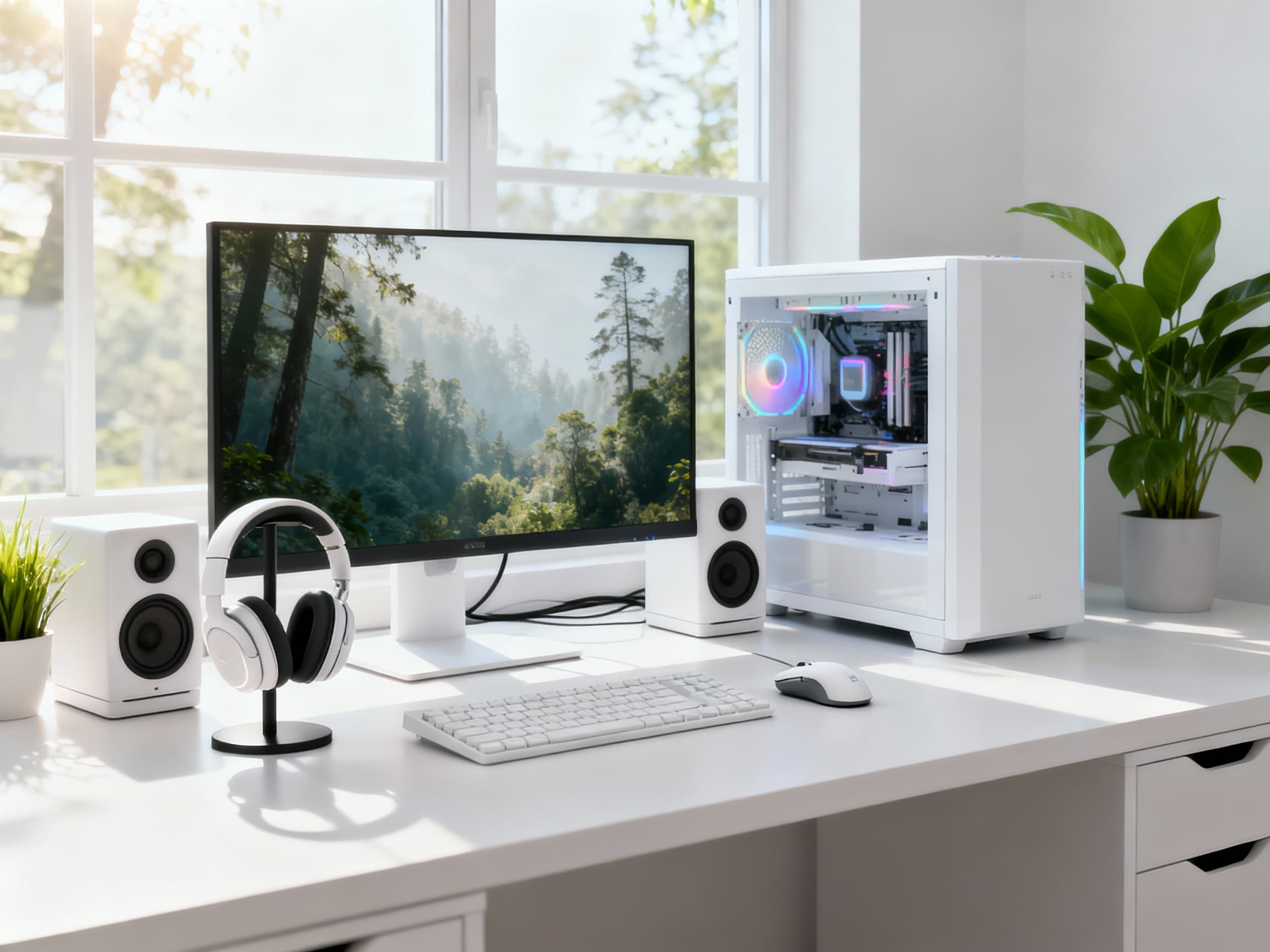
Gaming setups are getting bigger, brighter, and more powerful every year - but that also means more electricity, more heat, and a heavier impact on your wallet and the planet. What if your dream setup could be both powerful *and* eco-friendly? In 2025, you don’t need to choose between performance and sustainability. With smart component choices, efficient lighting, and a few mindful habits, you can create a gaming setup that feels futuristic, performs flawlessly, and still respects the environment. Let’s build a setup that’s as kind to the Earth as it is to your eyes.
Step-by-Step Guide to Building an Eco-Friendly Gaming Setup 🌍⚡
- Start With Energy-Efficient Hardware →
Your hardware defines how much power your setup consumes. Modern CPUs and GPUs, especially from AMD’s Ryzen and NVIDIA’s RTX 4000 series, come with efficiency modes that deliver top-tier performance while consuming less power. Check TDP (Thermal Design Power) ratings before buying new components - lower numbers mean more efficiency. Also, consider smaller form factor builds with efficient cooling. You’ll get the same power in a compact, eco-smart package.
- Choose a Power-Efficient Monitor →
Your monitor runs for hours daily - making it one of the biggest energy consumers. Choose monitors with LED or OLED panels and energy-saving certifications like ENERGY STAR or EPEAT. Avoid unnecessarily high refresh rates unless you’re an esports player; a 144Hz or 165Hz display is more than enough for smooth gaming while keeping power usage down. Bonus tip: enable your monitor’s ‘Eco Mode’ if available - it can reduce power draw by up to 20% without noticeable brightness loss.
- Optimize Your Power Supply Unit (PSU) →
A reliable, efficient PSU is the heart of a green setup. Look for 80+ Gold or Platinum certified PSUs, which convert power more effectively and waste less as heat. A 650W-750W PSU is ideal for most mid-to-high gaming builds in 2025. This not only saves electricity but also extends the life of your hardware by delivering stable power. You’ll literally feel the difference - cooler operation, quieter fans, and longer uptime.
- Switch to LED Lighting - Smarter and Cooler →
RGB lighting doesn’t have to mean high electricity bills. LED strips and smart RGB systems use very little power while creating stunning aesthetics. Use addressable LEDs instead of bulky lamps, and set them to turn off automatically after idle periods. Modern RGB controllers even let you sync lighting with your PC’s sleep mode. Go from flashy to eco-classy - same glow, smaller footprint.
- Use a UPS or Smart Power Strip →
Uninterruptible Power Supplies (UPS) protect your PC and monitor from sudden outages - but they can also save energy. Many modern UPS models come with automatic voltage regulation and smart load management, ensuring no excess energy is drawn when devices are idle. Alternatively, smart power strips cut power completely to accessories when your PC shuts down. This small tweak can save you hundreds of rupees (or dollars) annually and adds convenience to your daily routine.
- Enable Power-Saving Modes and Sleep Settings →
Your PC and console have built-in power-saving features - use them! Set your PC to sleep or hibernate after 15 minutes of inactivity, and let your monitor turn off automatically when idle. On consoles, enable energy saver mode to pause downloads when inactive. You’ll barely notice a difference in usage, but your power bill will definitely thank you. It’s the easiest ‘set and forget’ habit for eco-conscious gamers.
- Control Cooling and Airflow Wisely →
Efficient cooling isn’t just about performance - it’s about power too. Keep your PC clean and dust-free so fans don’t work overtime. Choose silent, high-efficiency fans with PWM control that adjust automatically based on temperature. A well-ventilated setup means your components stay cool using less power. Remember: every degree cooler saves both electricity and component stress.
- Recycle, Reuse, and Upgrade Smartly →
Going green doesn’t always mean buying new. Reuse old peripherals, repurpose your previous PC as a media server, or sell unused parts instead of discarding them. Proper e-waste recycling keeps harmful materials out of landfills. When upgrading, focus on parts that give the best efficiency boost - like SSDs over HDDs or DDR5 RAM for better power management. Sustainable setups are about smarter choices, not just shiny upgrades.
- Manage Ambient Lighting and Room Temperature →
Your gaming room’s environment affects your setup’s power draw. Use curtains or blinds to block sunlight and reduce air-conditioning needs. Replace halogen bulbs with LEDs. Consider a small desk fan instead of full-room cooling when gaming solo. These subtle changes not only save energy but make your gaming zone more comfortable and immersive.
- Adopt a Minimalist Mindset - Less Can Be More →
Not every setup needs five monitors or endless RGB. Sometimes the most eco-friendly setups are the simplest ones. Focus on function, comfort, and quality over quantity. Choose accessories that last, avoid cheap plastics, and reduce disposable tech clutter. The result? A cleaner look, quieter setup, and a lighter impact on the environment. Gaming sustainably is about enjoying the hobby responsibly - and it feels good knowing your setup looks great and does good.
FAQs
Final Thoughts 💭
Building an eco-friendly gaming setup isn’t about limiting your fun - it’s about upgrading your mindset. Every watt saved, every LED switched, every component reused makes a difference. The future of gaming is not only high-performance but also sustainable. Your setup can look epic, run silent, and still be gentle on both the planet and your power bill. Start small, upgrade smart, and make your desk a symbol of responsible gaming. 🌱⚡🎮