Ultimate Guide to Dual-PC and Console Combo Setups (2025) 🎮💻
10 November 2025
Learn how to combine a gaming PC, console, and work device into one clean, seamless setup. This 2025 guide covers HDMI switches, KVMs, cable routing, monitor sharing, and practical layout ideas.
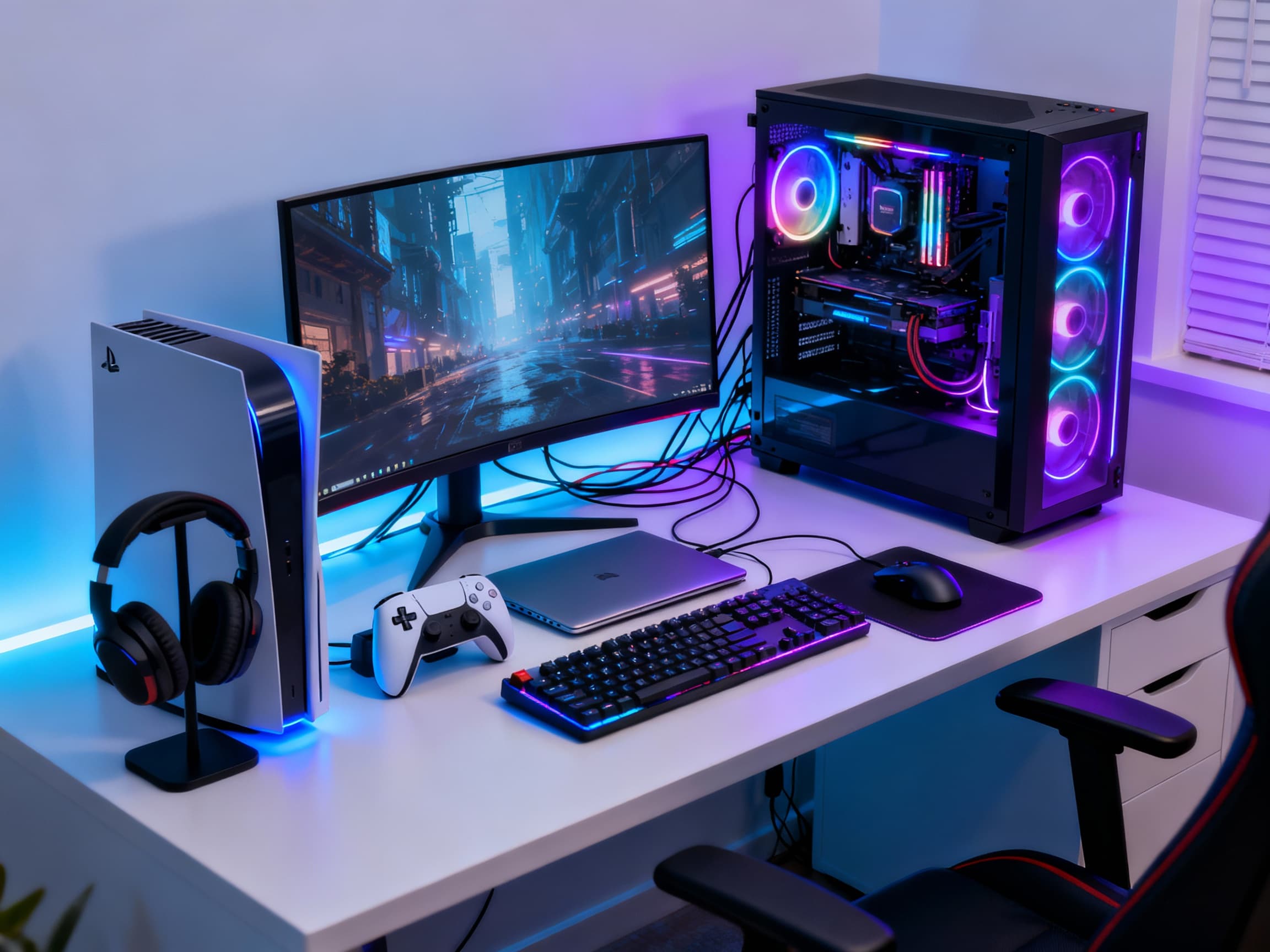
If you game on both PC and console - and still need space for work or study - your desk can easily start looking like a battlefield of tangled wires, extra controllers, and too many screens. But with a smart dual-PC + console combo setup, you can turn that chaos into a clean, seamless command center. A setup where you can switch from PS5 to PC to laptop with one click… and everything just works. This guide shows you exactly how to build that dream hybrid setup in 2025 - without losing your mind (or your cable sanity).
Dual-PC + Console Combo Setup Guide (2025 Edition) 🎮⚡💻
- Start With a Clear Layout Plan →
Before buying anything, decide how you want your desk to function. Will your PC be the main device? Will your console be used daily or occasionally? Plan where your monitor, console, PC tower, and work device will sit. A good layout saves you hours of rearranging later. Keep your console easily accessible for disc changes and controller charging, but your PC should remain centered since it's used the most.
- Use a Monitor With Multiple Inputs →
A modern monitor with HDMI, DisplayPort, and USB-C can completely change your setup life. Instead of swapping cables manually, you can switch sources with a single button. Use DisplayPort for your gaming PC, HDMI for your console, and USB-C for your laptop or work device. This simple feature alone cuts clutter, saves time, and makes switching between devices feel magical.
- For Seamless Switching: Use an HDMI Switch or Matrix →
An HDMI switch lets you plug in multiple devices and route them to one monitor or TV. It's especially useful if you own several consoles (PS5, Xbox, Switch). A matrix switch can even output to multiple displays. Pick one with a remote so you can switch inputs from your chair - no leaning over or pulling wires. Look for 4K 120Hz or 144Hz support to keep your gaming performance sharp.
- KVM Switches for Keyboard + Mouse Sharing →
A KVM switch allows you to share your keyboard, mouse, and sometimes even mic/webcam between your gaming PC and your work laptop. With one tap, everything shifts instantly. No unplugging. No re-pairing Bluetooth. For dual-PC users, this is a game-changer. It keeps your desk clean and makes the transition from work mode to game mode feel smooth and satisfying.
- Cable Management Is Everything →
A combo setup means triple the cables - unless you manage them well. Use cable sleeves, adhesive clips, under-desk trays, and Velcro straps. Route high-power devices separately from data cables to avoid interference. Label your HDMI and power cables for easy troubleshooting. A clean cable layout not only looks professional but also keeps your airflow unobstructed and your sanity intact.
- Desk Space Optimization: Two Zones, One Desk →
Divide your desk mentally into two functional zones: (1) the ‘control zone’ for keyboard, mouse, controller, and main monitor, and (2) the ‘utility zone’ for the console, speakers, charging stand, or secondary monitor. This layout keeps your setup clean and prevents your PC and console from competing for the same space. Even a small desk can feel big when organized right.
- Use a Controller Charging Dock + Headphone Stand →
With multiple devices comes multiple accessories. A dedicated charging dock keeps your controllers ready for action, while a headset stand prevents your desk from feeling cluttered. Small organization items like these make your whole setup feel intentional and premium - like a refined gaming studio rather than a messy desk.
- Sound Setup: Shared Speakers or Separate? →
For dual setups, you can use either: (1) shared speakers via an audio mixer, or (2) separate audio outputs for each device. Most gamers prefer a shared speaker setup because it keeps the desk clean. You can also use a soundbar with multiple input modes. If you use headphones, get a USB audio interface so both PC and console can route audio easily without driver conflicts.
- Consider a Dual-Purpose Capture Card →
If you're a streamer or content creator, a capture card lets you display your console on your PC monitor and record gameplay. Internal cards offer better quality, but external cards are easier for beginners. This allows you to have one desk, one main screen, and one workflow - while playing on whatever device you feel like.
- Keep Heat & Airflow Under Control →
Running a PC, console, and laptop can generate a lot of heat. Position your PC tower where its airflow isn’t blocked by the console or furniture. Keep consoles slightly elevated and away from walls. Use a silent desk fan if needed. Good airflow not only protects your devices but keeps your long sessions comfortable. Heat is silent, but it’s the biggest enemy of performance.
- Customize for Comfort & Aesthetics →
Add LED strips, RGB accents, or soft ambient lighting to tie your whole setup together. Use matching desk mats or themed accessories so your PC + console combo looks like one unified space, not a random collection of gadgets. A thoughtful aesthetic brings the whole room to life and makes every session feel cinematic.
- Make Switching Modes Effortless →
Create a setup where switching from WORK → PC → CONSOLE takes less than 5 seconds. Use shortcuts, input-switching monitors, KVMs, or HDMI switches to automate your workflow. The goal is to remove friction so you can instantly jump into whatever you want - gaming, streaming, or productivity - without unplugging anything.
FAQs
Final Thoughts 💭
A dual-PC and console combo setup isn’t just about having more devices - it’s about bringing them together beautifully. When everything works with one click, when your desk looks clean and futuristic, when switching between gaming and work feels effortless… that’s when your setup becomes more than a workstation. It becomes your personal command center. Build it slowly, upgrade smartly, and enjoy the satisfaction of a setup that feels truly next-level.