How to Optimise Your Gaming Setup for Long Health & Posture (2026 Guide 🧘♂️🎮)
14 December 2025
Learn how to prevent neck pain, wrist strain, RSI, and eye fatigue with the perfect ergonomic gaming setup. This 2026 guide covers posture, desk height, chair support, monitor alignment, and healthy gaming habits.
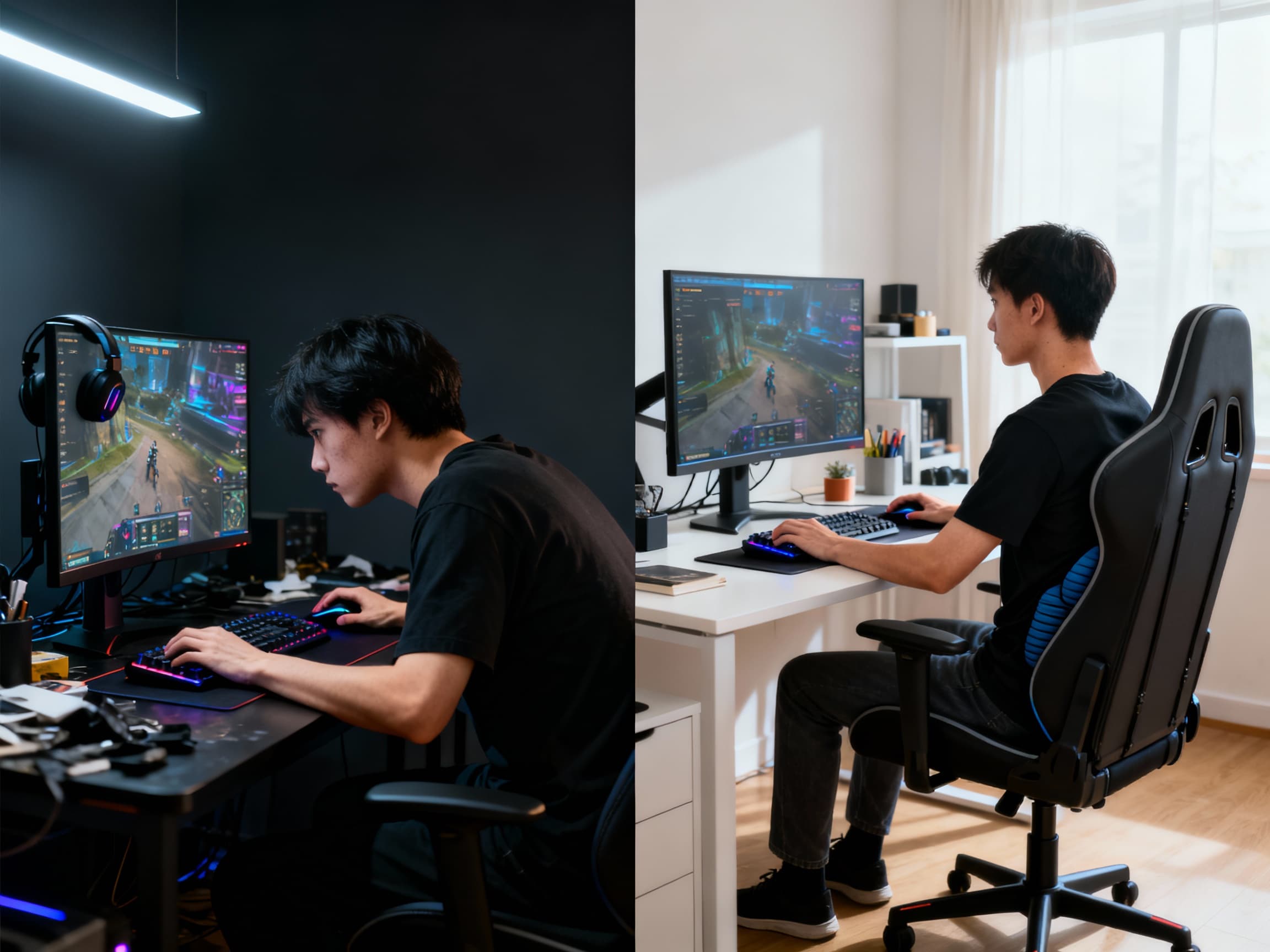
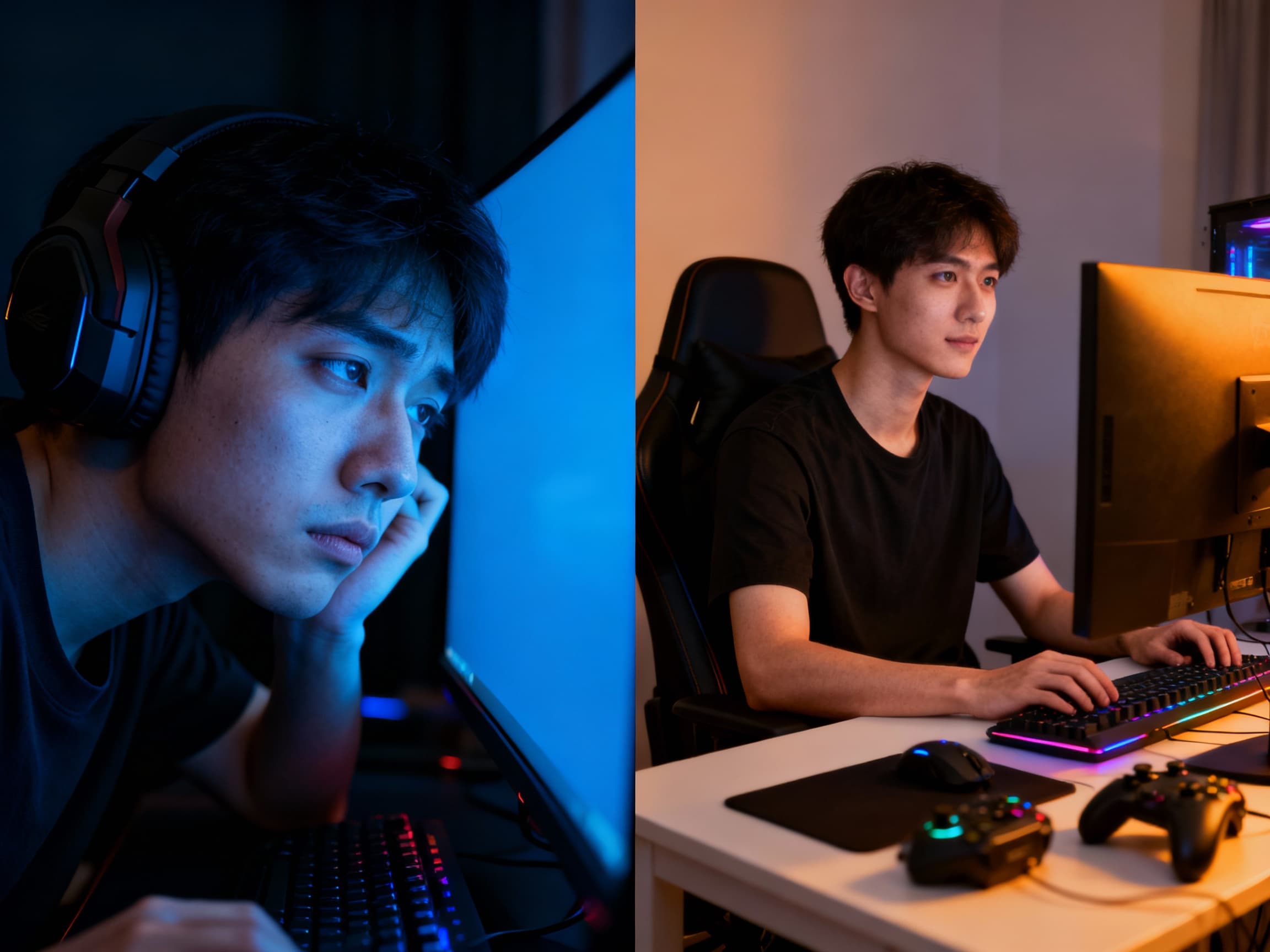
We spend hours chasing wins, grinding ranks, editing videos, and working at our desks - yet we often forget the one thing that truly supports all of it: our body. That tight neck after a gaming session, the wrist pain after long mouse movements, the burning eyes at 2 AM… these are warning signs, not badges of honor. The truth is brutal - the wrong gaming setup doesn’t just hurt your performance, it quietly damages your health over time. In 2025, optimizing your gaming setup isn’t only about FPS, RGB, or aesthetics anymore - it’s about surviving long-term without pain. This guide shows you how to protect your neck, wrists, eyes, and spine while staying locked in and performing at your best.
Complete Guide to Gaming Setup Health & Posture (2026 Edition) 🧠💺
- Why Pain Is Not ‘Normal’ for Gamers →
Many gamers accept back pain, stiff necks, and wrist issues as part of the lifestyle - but that’s a dangerous myth. These are early symptoms of RSI (Repetitive Strain Injury), disc compression, and nerve stress. The scary part? Damage builds silently and becomes permanent if ignored. A healthy setup doesn’t make you weak - it makes you stronger, faster, and consistent over years of gaming.
- Chair Height & Spine Alignment (Your Health Starts Here) →
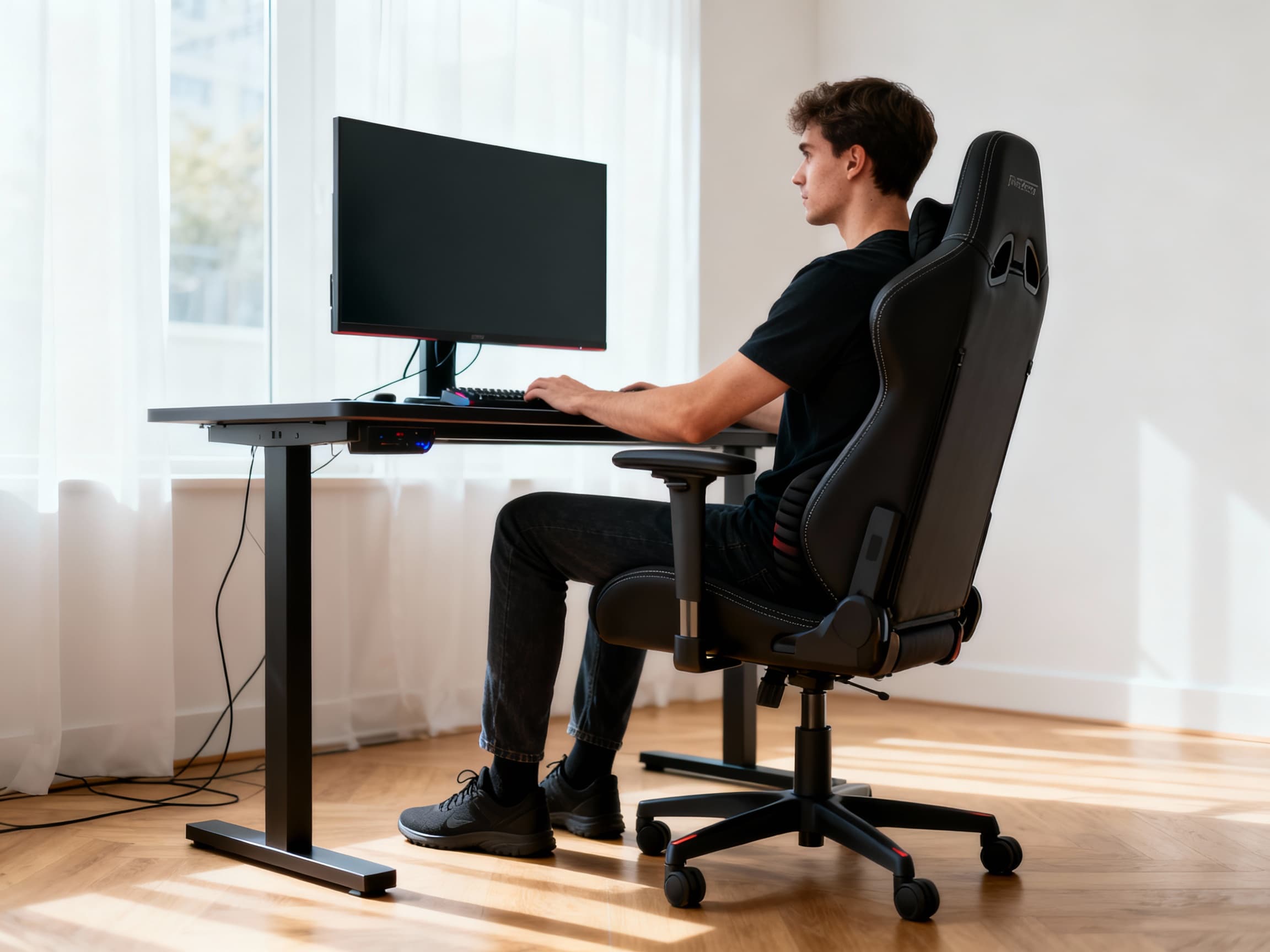
Your feet should rest flat on the floor with knees at a 90° angle. Your lower back must be supported by lumbar padding - not stiff plastic. If your pelvis tilts backwards, your spine curves unnaturally and pressure builds on spinal discs. This is how long-term back injuries begin. A proper ergonomic chair doesn’t make you comfortable - it protects your future.
- Desk Height and Arm Positioning →
Your elbows should sit slightly above desk level, not below it. If your desk is too high, your shoulders rise and strain your neck. If it’s too low, your wrists bend downward, compressing nerves. Adjustable desks or keyboard trays solve this problem instantly. Comfort here prevents shoulder fatigue and wrist tendon damage.
- Monitor Height & Neck Protection →
The top of your monitor should align roughly with eye level to keep your neck in a neutral, relaxed position. Looking down for hours forces the head forward, increasing the load on the cervical spine and compressing vertebrae with every degree of tilt. Over time, this leads to chronic neck pain, tension headaches, and even nerve irritation down the shoulders or arms. A simple monitor stand or adjustable arm can lift your screen to the right height, instantly improving posture. Small setup changes today prevent years of stiffness, strain, and cumulative damage.
- Mouse Grip & Wrist Health (The Silent Injury Zone) →
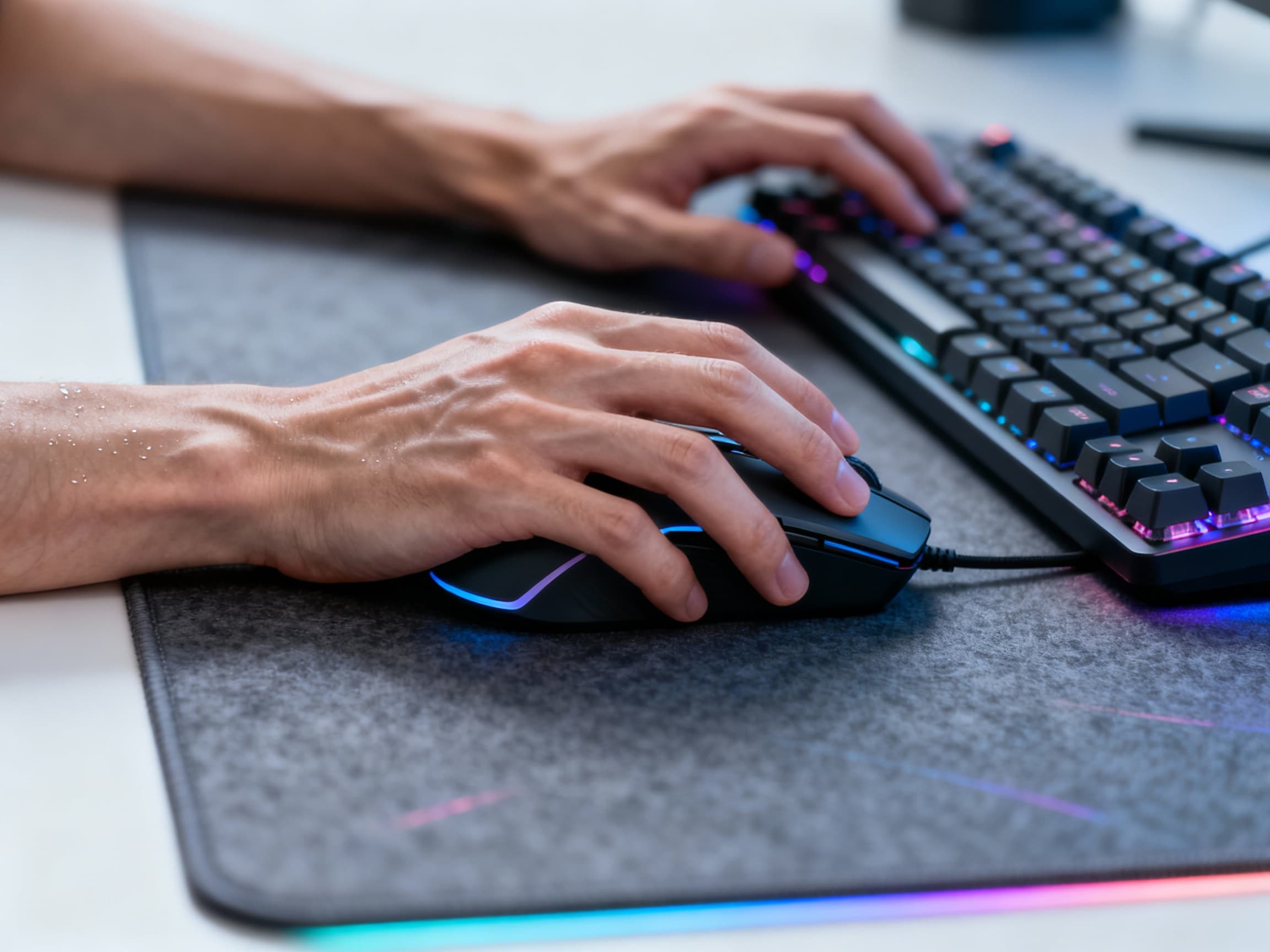
Your wrist should stay neutral - not bent, not twisted. Excessive wrist flexion is the top cause of carpal tunnel syndrome. Use a mouse that fits your hand size. Claw grip strains tendons more than the palm grip. Also, use a soft desk mat or wrist support if your desk edge is sharp.
- Keyboard Position & Finger Stress →
Never tilt your keyboard aggressively upward- it forces your wrists into unnatural extension and joint compression. Keep the board flat or slightly angled downward to maintain a neutral wrist line and full blood flow. Mechanical keyboards with light actuation switches reduce finger tension, improving endurance during long typing or gaming sessions. Pair that with a proper wrist rest or desk height, and you’ll minimize friction, fatigue, and long-term tendon stress. Your fingers deserve respect-they’re the foundation of every precise input you make.
- Eye Care & Blue Light Protection →
Eye fatigue sneaks up faster than you realise. Dry eyes, blurry vision, and headaches come from nonstop focus and harsh blue light exposure. Use night mode, warm lighting, and follow the 20-20-20 rule: every 20 minutes, look at something 20 feet away for 20 seconds. Bias lighting behind your monitor also reduces contrast strain.
- Posture During Long Gaming Sessions →
Your head should stay stacked directly above your shoulders, not jutting forward toward the screen. That forward-head posture adds extra weight to your neck, strains supporting muscles, and compresses your upper spine. Slouching also reduces lung expansion, cutting off the oxygen your brain needs for focus and clarity. Sit tall, relax your shoulders, and keep your core gently engaged to stabilize your posture. Good posture isn’t about being rigid-it’s about maintaining effortless balance that keeps your body aligned and mind alert.
- RSI Prevention for Hardcore Gamers →
RSI is caused by continuous micro-movements without recovery. If you notice finger numbness, burning sensations, or loss of grip strength - that’s your body asking you to stop. Take micro-breaks every hour, stretch fingers, rotate wrists, and avoid locking into one grip style for hours.
- The Importance of Movement & Break Cycles →
Your body isn’t built to stay frozen for six hours straight. Stand up every 45-60 minutes, stretch, or walk for just two minutes to reset your circulation. Even micro-movements prevent blood stagnation, spine compression, and progressive muscle fatigue that dulls reaction time. Regular breaks keep joints lubricated, energy levels stable, and focus sharp through long sessions. The best gamers safeguard their physical stamina with the same discipline they apply to mastering their mechanical skill.
- Chair vs Gaming Chair vs Ergonomic Chair →
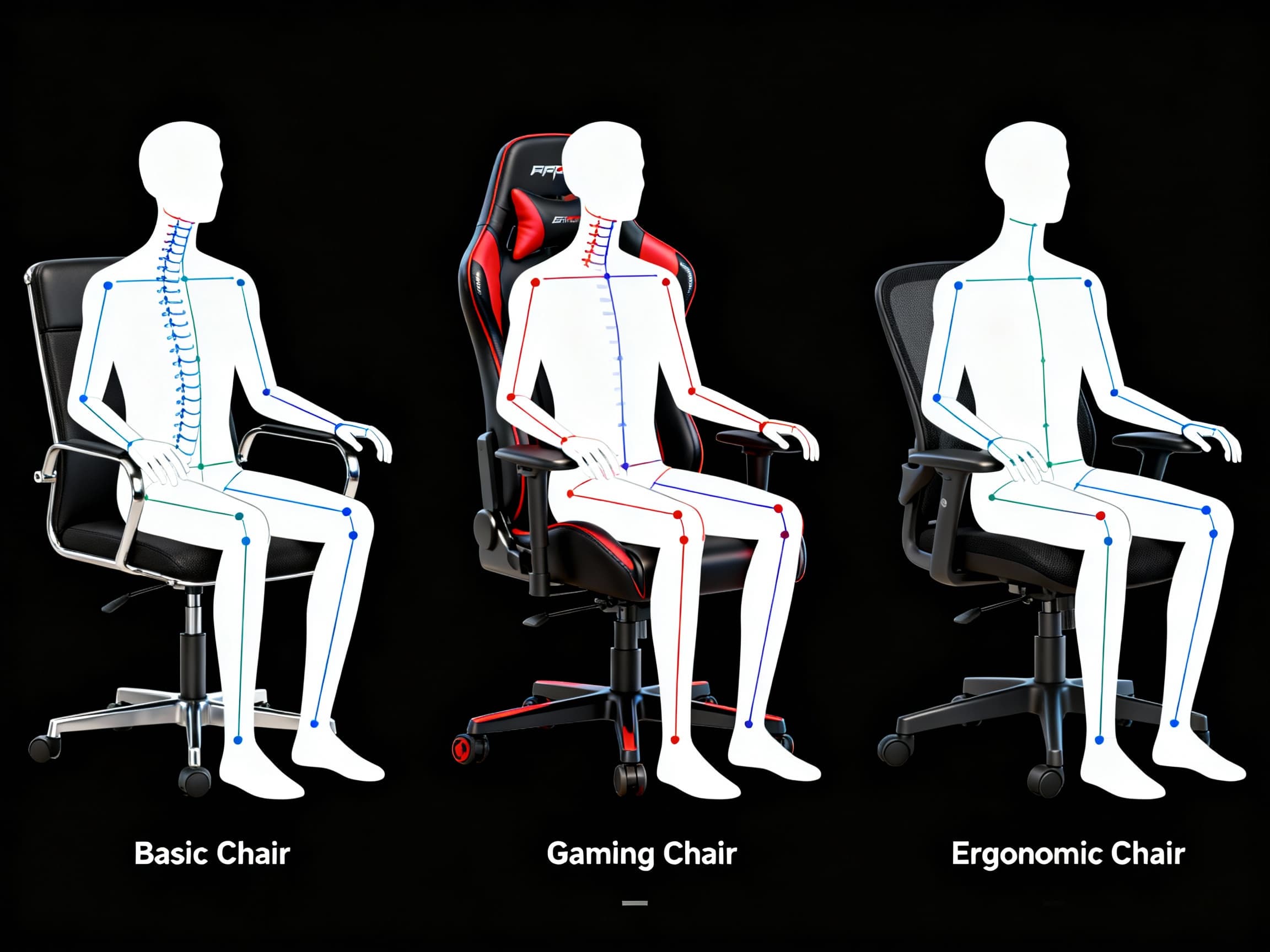
Gaming chairs look aggressive, but flashy design doesn’t always mean ergonomic support. Many budget models prioritise style over structure, neglecting spinal alignment and lumbar positioning. In contrast, well-designed office chairs often deliver superior back support, adjustability, and long-term comfort. The ideal chair keeps your pelvis neutral, spine upright, and shoulders naturally relaxed through balanced cushioning and correct angles. The best setup isn’t defined by RGB lights-it’s defined by how well it supports your body for hours of focus.
- Desk Distance & Visual Focus Control →
Your eyes should sit about an arm’s length away from the screen, roughly 50-70 cm for most setups. Sitting too close forces constant eye convergence, straining the ciliary muscles responsible for focus. Over time, this leads to eye fatigue, dryness, and headaches that mimic mental exhaustion. Ultra-close screens may feel immersive, but they shorten your visual endurance and slow recovery between sessions. Maintain proper distance, and your eyes will stay sharper, longer.
- Wrist Mobility & Stretch Recovery →
Stretching isn’t optional anymore- it’s maintenance for your most-used tools. Wrist flexor and extensor stretches reduce tendon friction, while finger-opening exercises restore healthy blood flow through tight tissues. Just five minutes of mindful movement can undo hours of repetitive micro-strain from typing or gaming. Consistent mobility work keeps your grip strong, your precision sharp, and your joints resilient. Pain ignored becomes injury; recovery practiced becomes lasting strength.
- Chair Recline & Static Load Reduction →
Sitting perfectly upright at 90° for long periods can actually strain your lower spine. A slight recline between 100° and 110° helps redistribute body weight, easing pressure on spinal discs and improving circulation. This posture allows your core and back muscles to relax while maintaining stability. Many professional esports athletes use this reclined angle to sustain focus and comfort during marathon sessions. It’s about biomechanics and endurance - not laziness.
- Mental Fatigue & Posture Connection →
Poor posture restricts breathing depth, limiting oxygen flow to the brain. That foggy, sluggish feeling after hours at your desk isn’t just exhaustion-it’s posture-induced fatigue. When your spine slumps, your lungs can’t fully expand, reducing alertness and focus. Straighten up, and your body draws in more oxygen, refreshing your mind and sharpening your reflexes. Fix your posture, and your reaction time literally improves.
FAQs
Final Thoughts 💭
Your gaming setup isn’t just your battlefield - it’s your long-term physical environment. Wins fade. Ranks reset. But your spine, wrists, eyes, and nerves stay with you for life. Optimising your setup for health doesn’t make you slower - it makes you durable. Pain-free focus is the real competitive advantage. Build your setup not just for performance, but for longevity. Your future self will thank you every time you sit down to play. 🧠🎮